
Introduction
Modern iPhones are becoming increasingly advanced, making software restoration and motherboard-level repair more challenging than ever. Whether you’re an experienced repair technician or a professional repair shop owner, having the right tools is essential for handling firmware issues, boot failures, and hardware diagnostics efficiently.
While many software problems can be resolved through standard recovery methods, certain situations require Device Firmware Update (DFU) mode or specialized engineering cables that provide deeper access to the device. These professional tools help technicians perform firmware restoration, diagnose motherboard problems, and improve repair success rates without unnecessary hardware replacement.
In this guide, we’ll explore the most important DFU tools and engineering cables used in professional iPhone repair and explain how they simplify advanced troubleshooting.
Why DFU Mode Matters in Professional iPhone Repair
Device Firmware Update (DFU) mode is Apple’s lowest-level recovery mode. Unlike standard Recovery Mode, DFU allows the device to communicate directly with a computer without loading the operating system.
Repair professionals commonly use DFU mode when:
- iPhone is stuck on the Apple logo
- Boot loop problems occur
- Firmware becomes corrupted
- iOS installation fails
- Recovery Mode cannot restore the device
- Advanced software repair is required
Because DFU bypasses the normal operating system, it provides technicians with greater flexibility when restoring firmware and troubleshooting software-related failures.
Common Challenges When Entering DFU Mode
Although DFU mode is extremely useful, manually entering it can sometimes be frustrating.
Technicians often experience issues such as:
- Incorrect button timing
- Devices repeatedly enter Recovery Mode instead
- Failed firmware detection
- USB connection interruptions
- Multiple attempts before successful DFU activation
These challenges become even more significant in busy repair shops where technicians restore multiple devices every day.
Professional repair accessories help eliminate these problems by making DFU access faster and more reliable.
Simplifying Firmware Access with Professional DFU Accessories
Professional repair centers often rely on dedicated accessories that automate or simplify the DFU process.
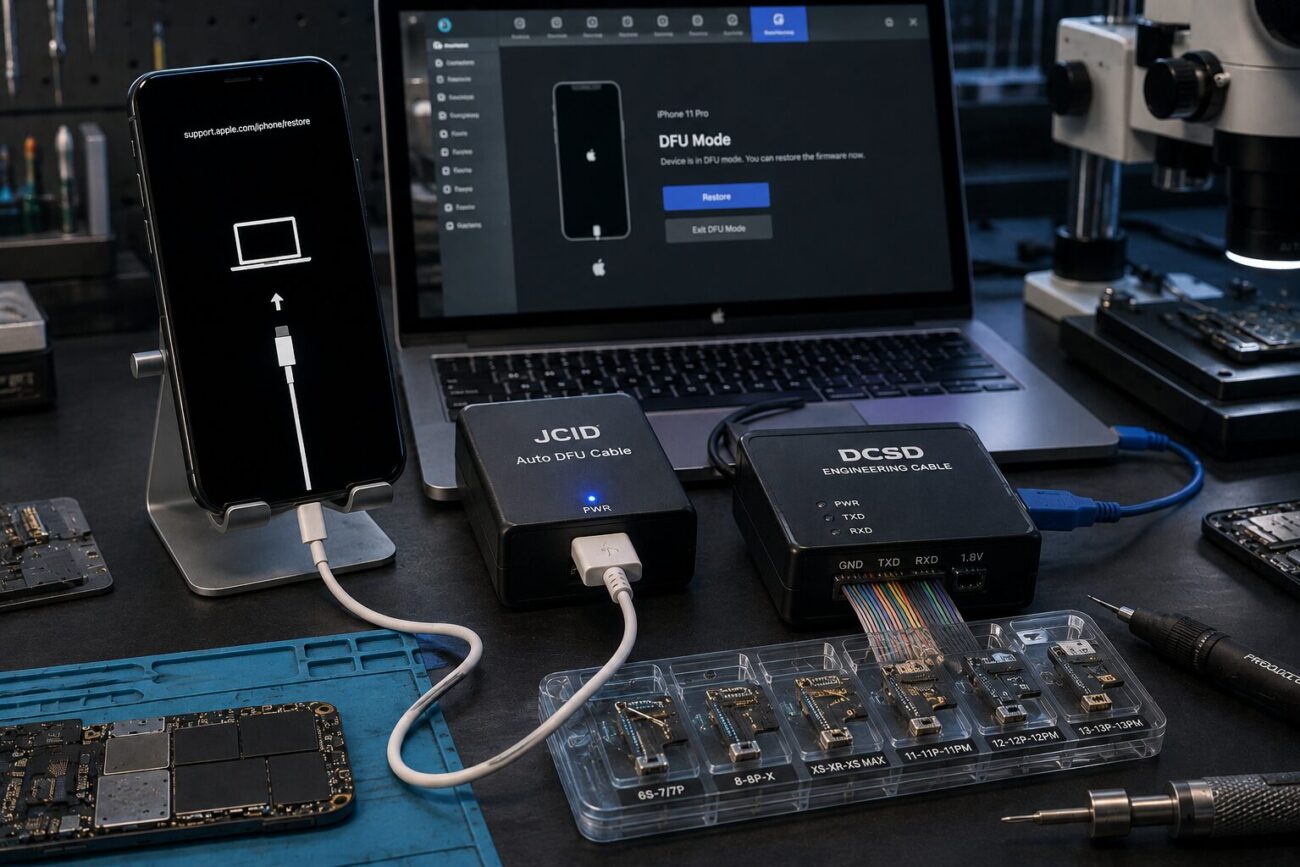
One of the most useful solutions is the JCID Auto DFU Cable, which is specifically designed to help technicians place supported iPhones into DFU mode more quickly and consistently.
Instead of repeatedly attempting complex button combinations, this specialized cable streamlines the workflow, saving valuable repair time while reducing human error.
For repair businesses handling a high volume of iPhone restorations, using professional DFU accessories can significantly improve productivity and repair efficiency.
Engineering Cables for Motherboard-Level Diagnostics
Software restoration is only one part of advanced iPhone repair.
Many devices experience problems caused by motherboard faults rather than firmware corruption.
Examples include:
- Baseband failures
- NAND communication errors
- Boot configuration problems
- Logic board damage
- Serial communication issues
These repairs require specialized engineering tools capable of communicating directly with the device hardware.
One widely used professional solution is the DCSD Engineering Cable, which allows technicians to access engineering functions that are unavailable through ordinary Lightning cables.
These cables are particularly valuable for experienced motherboard repair specialists who perform diagnostics, data communication, and hardware configuration during complex repair procedures.
Restoring Devices More Efficiently
Firmware restoration is one of the most common repair procedures performed by technicians.
However, failed restore attempts can waste significant time and create unnecessary delays.
Professional repair cables are designed to improve connection stability during firmware flashing, reducing interruptions and increasing the likelihood of successful restoration.
Many repair centers also rely on the iPhone Restore Easy Cable to simplify restore operations during routine service work.
Its dependable connection helps technicians perform firmware installation more efficiently while minimizing communication errors between the iPhone and repair software.
When Professional DFU Tools Become Necessary
Although many software issues can be fixed using standard USB cables, certain repair situations benefit greatly from specialized equipment.
Examples include:
- Repeated firmware restore failures
- Devices stuck in boot loops
- Corrupted iOS installations
- Logic board troubleshooting
- Multiple-device servicing
- Professional repair shop workflows
In these situations, investing in dedicated repair accessories often saves both time and labor costs.
Best Practices for Successful iPhone Firmware Repair
Using professional tools is only one part of successful repair.
Experienced technicians also follow several best practices:
Verify the Device Before Restoring
Check whether the issue is software-related or caused by motherboard damage.
Use High-Quality Repair Accessories
Reliable cables reduce communication failures during firmware flashing and diagnostics.
Keep Software Updated
Ensure repair software supports the latest iPhone models and iOS versions.
Maintain Stable USB Connections
Avoid disconnecting devices during firmware installation.
Diagnose Before Replacing Components
Many devices suffering from software symptoms actually have underlying hardware problems that require further investigation.
Following these practices improves repair success while reducing unnecessary component replacement.
Benefits of Professional Repair Equipment
Using specialized repair accessories provides several advantages for technicians and repair businesses.
Some of the biggest benefits include:
- Faster workflow
- More reliable firmware restoration
- Reduced repair errors
- Improved diagnostic accuracy
- Better customer satisfaction
- Increased repair efficiency
- Lower turnaround times
For businesses handling numerous repairs daily, these improvements can significantly increase overall productivity.
Choosing the Right Repair Tools
Not every repair requires advanced engineering equipment, but professionals should select tools based on the services they provide.
Consider factors such as:
Repair Volume
High-volume repair shops benefit from automation and faster workflows.
Repair Complexity
Motherboard-level repairs require more specialized equipment than simple screen replacements.
Device Compatibility
Ensure repair accessories support the iPhone models you regularly service.
Build Quality
Professional-grade accessories typically provide greater durability and long-term reliability.
Investing in dependable tools often reduces repair time while improving consistency across multiple repairs.
Conclusion
As iPhone hardware and software continue to evolve, professional repair techniques must evolve alongside them. Firmware restoration, motherboard diagnostics, and advanced troubleshooting all require reliable equipment capable of handling increasingly complex repair scenarios.
From simplifying DFU access with specialized accessories to enabling deeper hardware diagnostics through engineering cables, professional repair tools help technicians perform repairs more efficiently while improving overall success rates.
Whether you’re an independent technician or operate a busy repair center, choosing high-quality DFU and engineering tools can streamline your workflow, reduce repair time, and deliver better results for your customers.
FAQs
What is DFU mode used for in iPhone repair?
DFU mode allows technicians to restore firmware at a deeper level than standard Recovery Mode, making it useful for resolving serious software issues.
Why do professional repair shops use dedicated DFU cables?
Professional DFU cables simplify the process of entering DFU mode, reduce failed attempts, and improve repair efficiency.
What is an engineering cable used for?
Engineering cables provide technicians with advanced communication capabilities for motherboard diagnostics, configuration, and troubleshooting.
Can specialized restore cables improve firmware installation?
Yes. High-quality restore cables help maintain stable communication during firmware flashing, reducing restore failures.
Are these tools necessary for every iPhone repair?
No. Standard repairs may only require basic tools, while advanced software restoration, motherboard diagnostics, and complex troubleshooting often benefit from specialized professional accessories.


