

Location-based games like Pokémon GO have made GPS spoofing apps more popular than ever. Many players want to catch region-exclusive Pokémon, participate in global events, or explore different locations without physically traveling. That’s where a reliable GPS spoofing tool becomes useful.
Among the many options available today, PoKeep Location Changer has gained attention for its simple interface, multiple movement modes, and support for both iPhone and Android devices. In this review, we’ll take a closer look at its features, pricing, advantages, and how it compares with other popular Pokémon GO spoofers.
What Is PoKeep Location Changer?
PoKeep Location Changer is a desktop-based GPS location spoofer designed for iPhone and Android users. It allows users to change location on iPhone and Android virtually without jailbreaking or rooting the device.
The software works on both Windows and Mac and supports a wide range of location simulation features, including teleporting, route simulation, joystick movement, and custom GPS paths.
One of the biggest advantages of PoKeep is its beginner-friendly design. Even users with no technical experience can quickly spoof location with just a few clicks.
Key Features of PoKeep Location Changer
1. Instant GPS Location Change
PoKeep allows users to teleport their GPS location anywhere in the world instantly. Simply search for a city or drop a pin on the map to change your location. This feature is especially useful for Pokémon GO players who want to access region-exclusive Pokémon or participate in global raids remotely.
2. Joystick Movement
The built-in joystick mode lets users simulate real-time movement naturally. Instead of teleporting suddenly, players can move their character smoothly with customized speed and direction in real time. This feature helps create more realistic movement patterns and reduces suspicious activity when play Pokémon Go.
3. Two-Spot & Multi-Spot Route Simulation
PoKeep can simulate movement between two or multiple locations automatically. Users can create customized walking routes and adjust movement speed to imitate walking, cycling, or driving. This feature works well for playing Pokémon Go without moving, hatching Pokémon eggs or farming PokéStops.
4. Jump Teleport Mode with Cooldown Timer
Another standout feature of PoKeep is Jump Teleport Mode. Users can mark multiple locations and teleport between them manually or automatically. The built-in cooldown timer reminds players to wait before changing locations again, helping reduce the risk of soft bans in Pokémon GO.
How to Use PoKeep Location Changer to Spoof in Pokémon GO
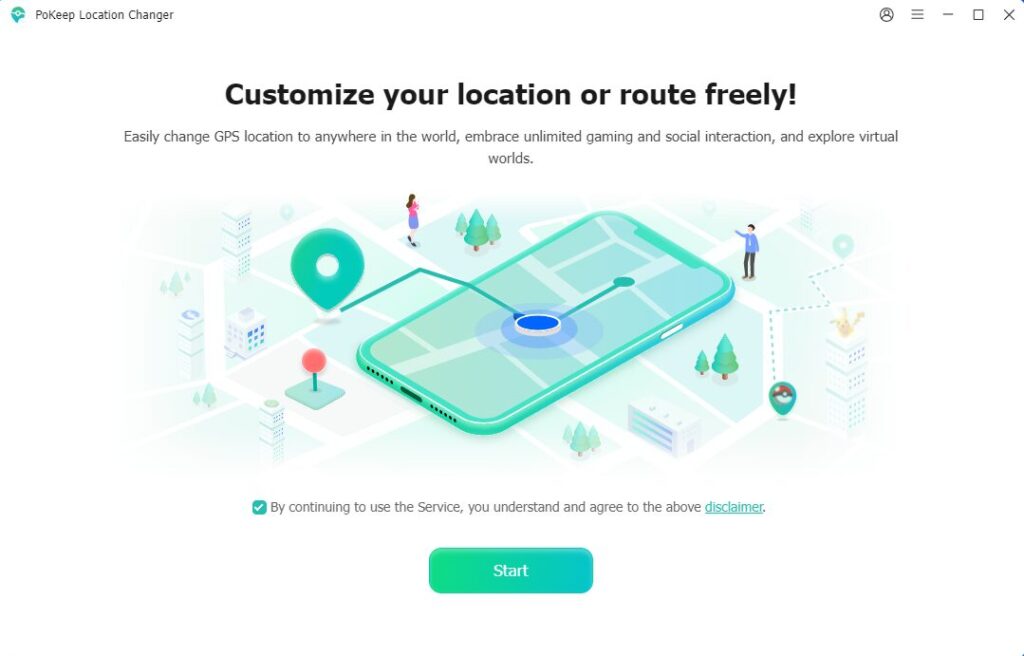
Step 1: Download and Install the Software
Visit the official PoKeep website and download PoKeep Location Changer on your Windows PC or Mac. Complete the installation process.
Step 2: Connect Your Device
Use a USB cable to connect your iPhone or Android device to the computer. Click Next. Then select a location simulation mode: General Mode or Game Mode.
For iPhone users, you may need to enable Developer Mode if using General Mode, or complete a Bluetooth connection if using Game Mode.
For Android users, enable Developer Options and USB debugging first. If choose General Mode, you’ll need to set up the Mock Location app separately.
PoKeep provides step-by-step setup instructions, so you can complete the configuration with ease.

Step 3: Change GPS Location
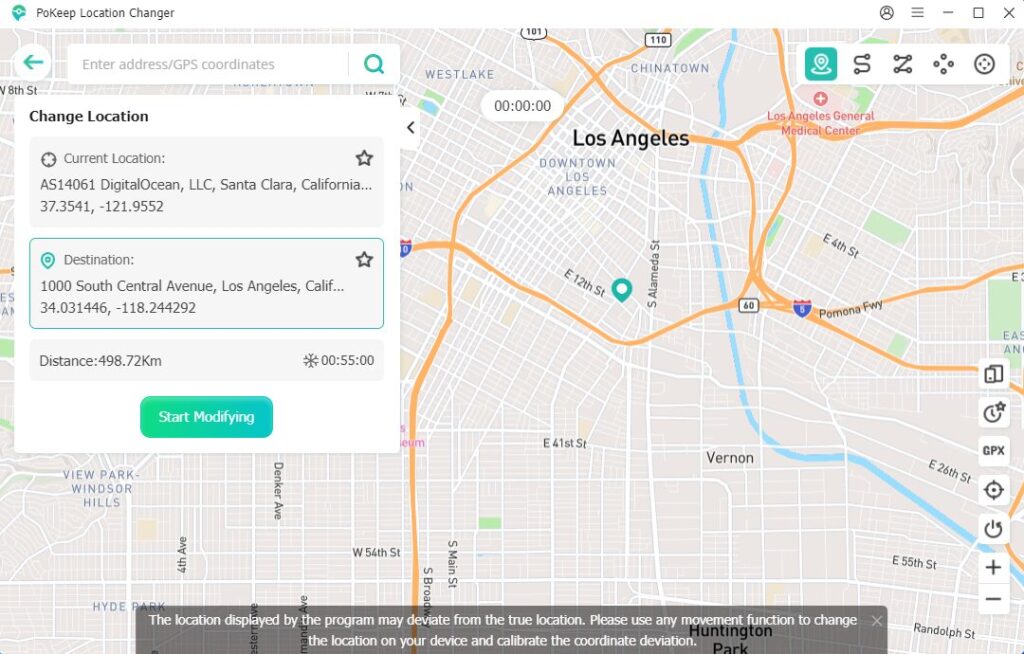
After the device is recognized, you will enter the map interface. You can choose Teleport Mode first to change location on your iPhone or Android. Just enter a location in the search bar or directly click a destination on the map. Then click the Start Modifying button. Your device’s GPS location will instantly change to the selected place. Then open Pokémon Go or other apps on your device to check the new location.
Step 4. Simulate GPS Movement
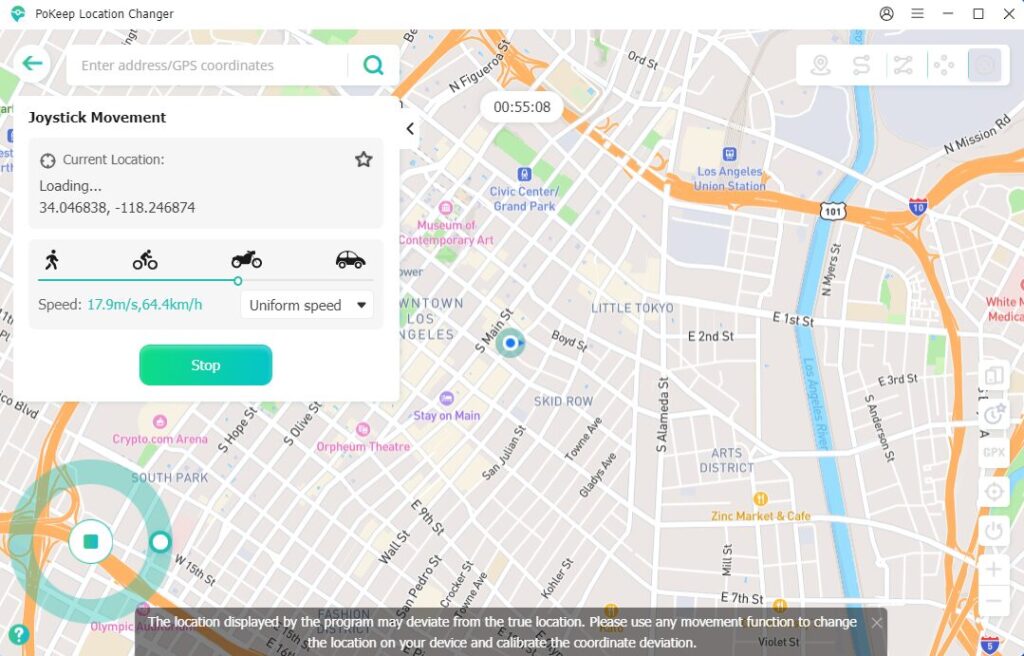
If you want to simulate realistic movement, Joystick Mode is a good choice. To use it, select Joystick Mode, adjust the movement speed, click Start Moving. Then use the keyboard or drag the joystick wheel with your mouse to control the movement direction in real time.
After teleporting to a new location with PoKeep, you can use a Pokémon GO IV calculator to evaluate newly caught Pokémon and decide which ones are worth powering up or evolving.
Pros and Cons of PoKeep Location Changer
Pros:
- Easy-to-use interface and clear guide for beginners
- Supports both iPhone and Android
- No jailbreak or root required
- Multiple movement simulation modes
- Built-in cooldown timer for safer spoofing
- Works on both Windows and Mac
- Supports GPX route import and export
- Save favorite routes and access location history anytime
Cons:
- Requires a computer connection
- Free trial has limited features
- GPS spoofing always carries some account risk in Pokémon GO
PoKeep Location Changer Pricing
PoKeep Location Changer offers several pricing plans depending on usage duration. Typically, users can choose between monthly, quarterly, or lifetime plans.
Monthly plan: $9.95
Quarterly plan: $19.95
Annual plan: $39.95
Lifetime license: $89.95
All paid plans support up to 10 phones and 1 PC, include a 30-day money-back guarantee, and come with free customer support. A free trial is available, allowing users to test basic features before purchasing a full license.
PoKeep Location Changer vs Other Pokémon GO Spoofers
Feature | PoKeep Location Changer | iMyFone AnyTo | iPoGo | PGSharp |
Platform | iOS & Android | iOS & Android | iOS & Android | Android Only |
PC Required | Yes | Yes | No | No |
Teleport & Joystick | Yes | Yes | Yes | Yes |
Official Pokémon GO App | Yes | Yes | No (modified app) | No (modified app) |
Monthly Price | $9.95 | From $19.99 to $49.99 | $4.99 | $5.00 |
Supported Devices | 10 Devices | From 1 to 5 Devices | 3 Devices | 3 Devices |
Detection Risk | Low | Low | Medium-High | Medium |
Compared with iPoGo and PGSharp, PoKeep focuses more on stable desktop-based GPS spoofing rather than modified game clients, which may help reduce detection risks. While iMyFone AnyTo offers similar functionality, PoKeep provides a cleaner interface and competitive pricing for users looking for a straightforward Pokémon GO spoofing solution. If your primary goal is to spoof location in official Pokémon GO app and keep the setup process simple, PoKeep Location Changer offers one of the best balances of safety, functionality, and value.
Anti-Ban Tips for Pokémon GO Players
Although Pokémon Go spoofers can be useful, Pokémon GO players should always spoof carefully to minimize account risks.
1. Respect Cooldown Times
Avoid teleporting long distances instantly without waiting. Cooldown periods help mimic realistic travel behavior.
2. Avoid Excessive Teleporting
Constantly jumping between countries within minutes may trigger suspicious activity detection.
3. Use Realistic Movement Speeds
When using joystick or route simulation, keep speeds realistic. Walking speeds are generally safer than extremely fast movement.
4. Don’t Abuse Raids or Farming
Aggressive farming patterns can increase account risk over time.
5. Keep Software Updated
Using updated spoofing tools may improve compatibility and reduce detection issues after Pokémon GO updates.
Final Verdict
PoKeep Location Changer is a solid location spoofer for both iPhone and Android users. For Pokémon GO players, features like joystick movement, route simulation, and cooldown timers provide a safer and more flexible spoofing experience compared with many older tools.
While no spoofing method is completely risk-free, PoKeep offers a balanced combination of usability, features, and device compatibility. If you’re searching for the best Pokémon GO spoofer for iPhone and Android, PoKeep Location Changer is worth considering.
More iDevice Central Guides
- iOS 17 Jailbreak RELEASED! How to Jailbreak iOS 17 with PaleRa1n
- How to Jailbreak iOS 18.0 – iOS 18.2.1 / iOS 18.3 With Tweaks
- Download iRemovalRa1n Jailbreak (CheckRa1n for Windows)
- Dopamine Jailbreak (Fugu15 Max) Release Is Coming Soon for iOS 15.0 – 15.4.1 A12+
- Cowabunga Lite For iOS 16.2 – 16.4 Released in Beta! Install Tweaks and Themes Without Jailbreak
- Fugu15 Max Jailbreak: All Confirmed Working Rootless Tweaks List
- iOS 14.0 – 16.1.2 – All MacDirtyCow Tools IPAs
- iOS Jailbreak Tools for All iOS Versions

