
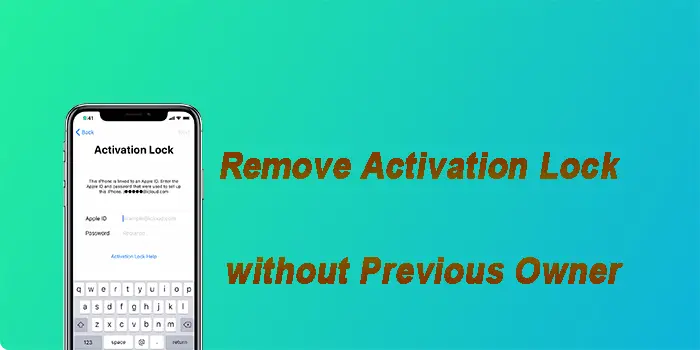
Stuck with a used iPhone or iPad on the Activation Lock screen? Contacting the previous owner for Apple ID and password is often inconvenient, and usually impossible.
Fortunately, you can still regain full access by proving ownership to Apple Support, utilizing professional iPhone unlocker, or applying a DNS workaround. Follow our detailed guide here to learn how to remove activation lock without previous owner.
Method 1: Request Official Apple Support
If you legally purchased the device and have the receipt, you do not need to reach the previous owner. Apple has provided a dedicated portal specifically for this situation.
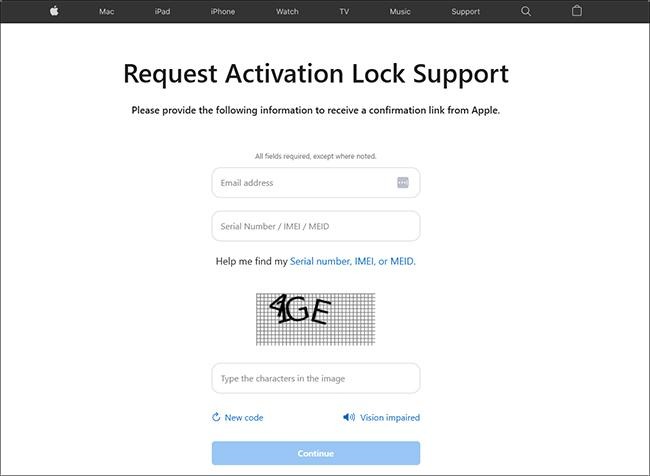
Prerequisites: You must have valid proof of purchase. This generally means the original receipt containing the device’s serial number and the date of purchase.
👍Pros:
- Permanent fix: completely remove the activation lock from Apple’s servers
- Full functionality: restore 100% of device features, including calls and iCloud
- Free & safe: official solution provided by Apple
👎Cons:
- Strict requirements: require the original receipt with the serial number
- Slow process: may take several days for Apple to approve your request
- No “Lost Mode”: will be immediately rejected if the device was reported lost/stolen
Step 1. Go to the official Activation Lock Support Page.
Step 2. Click “For a personally owned device” at the bottom of the screen and agree to the terms and policy.
Step 3. Enter your email address and the device’s Serial Number/IMEI/MEID.
Step 4. Upload a clear photo of your proof of purchase.
Step 5. Submit the request. Apple typically reviews these within a few days. If approved, they will remotely remove the Activation Lock, so you can set up the device as new.
Method 2: Use Professional TunesKit iPhone Unlocker
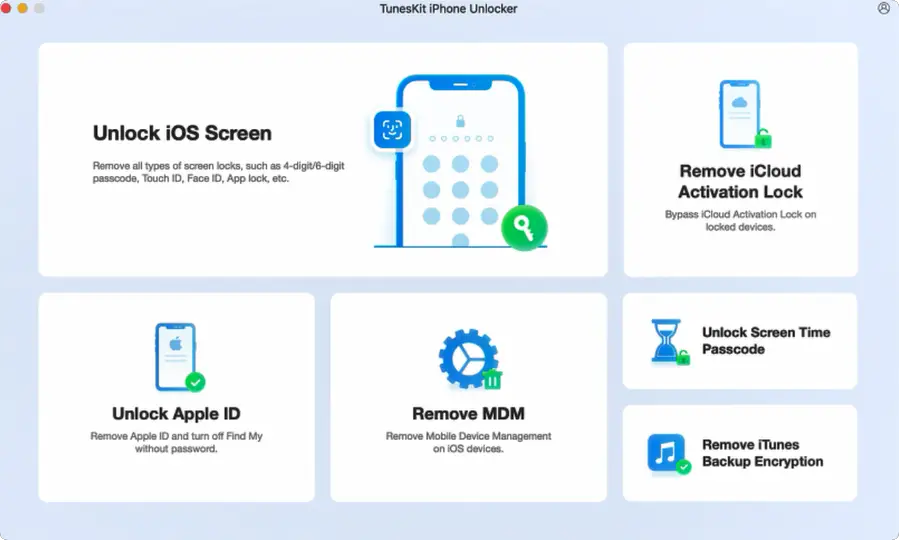
TunesKit iPhone Unlocker is a powerful desktop solution designed to remove iCloud Activation Lock from your iPhone and iPad, freeing it from the previous owner’s Apple ID without requiring their password.
Beyond this essential function, it provides a comprehensive unlocking toolkit. You can also unlock a forgotten screen passcode, bypass Screen Time restrictions, remove a pre-set MDM profile, and unlock Apple ID.
With a user-friendly interface and high success rates, TunesKit makes it simple to regain full access of your iPhone or iPad, restoring it to a fully functional, ready-to-use state.
👍Pros:
Straightforward solution: require no proof of purchase or credentials information
High efficiency: bypass the lock in minutes; no waiting for approval.
User-friendly: guided interface makes the complex jailbreak process easier.
👎Cons:
Free trial: require to pay for full version
Step 1. Download and launch TunesKit iPhone Unlocker from the official website and install it on your Mac or Windows PC. Launch the program and click “Remove iCloud Activation Lock” from the main panel.
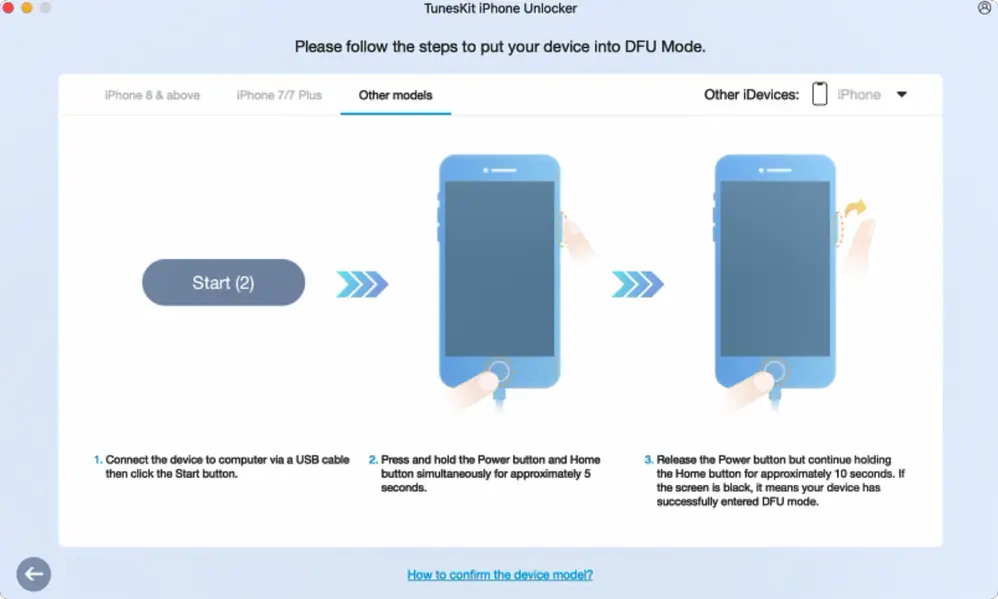
Step 2. Connect your iCloud-locked iPhone or iPad to the computer and click “Start” button. The software will automatically detect your device and put in into recovery mode.
Afterwards, you should follow the instructions to enter DFU mode manually.
Step 3. The program will start the device jailbreaking process.
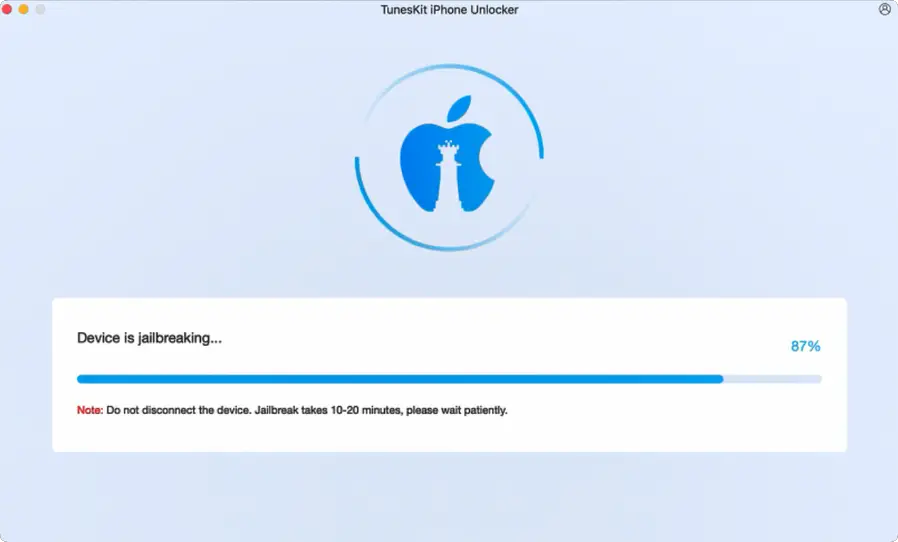
Step 4. Once the device is jailbroken, click “Start Removal”. TunesKit will enter recovery mode automatically.
After you place the device into DFU mode, the process to remove activation lock without previous owner will begin.
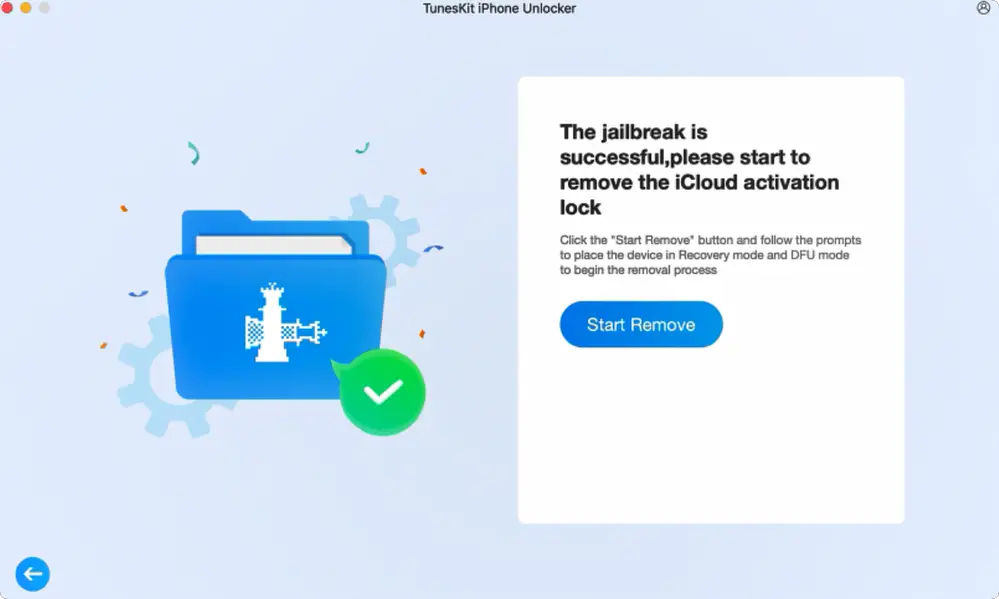
Step 5. After a few minutes, the process will complete and iPhone Locked to Owner screen will be bypassed.
You can now enter the device and use it for Wi-Fi, apps, and media.
Method 3: iCloud DNS Bypass
This is an old, no-cost technique that allows you to bypass iCloud activation lock screen. It doesn’t fully bypass the lock to restore normal functionality, but it can provide a pathway to access your device.
Now see how to remove activation lock without previous owner free.
👍Pros:
- Completely free: no cost to adjust settings on your device
- No computer required: remove iCloud activation lock without extra device
- Quick access: ensure you a quick access to your device
👎Cons:
- Unreliable: may not work on all devices
- Low success rate: often fails to connect
- Temporary: you have to repeat the steps every time you restart the Wi-Fi
Step 1. Restart the device and proceed to the Wi-Fi setup page.
Step 2. Tap the “i” icon next to your Wi-Fi network name.
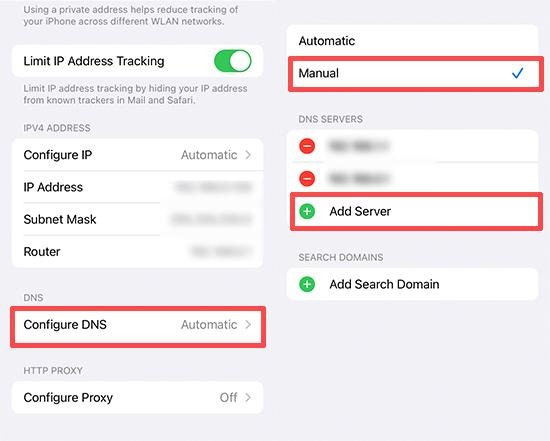
Step 3. Tap Configure DNS and select Manual.
Step 4. Tap “+Add Server” and add one of the following IPs based on your location:
- USA: 104.154.51.7
- South America: 35.199.88.219
- Europe: 104.155.28.90
- Asia: 104.155.220.58
- Australia and Oceania: 35.189.47.23
- Other: 78.100.17.60
Step 5. Save the configuration and connect to the Wi-Fi. As the activation process begins, tap the Back button. This should redirect you to a special portal screen for further device use.
Conclusion
Removing Activation Lock without the previous owner is a challenging measure, but solutions exist. The most reliable method is through official Apple Support with your proof of purchase, which permanently removes the lock.
If you don’t have the receipt, a specialized iPhone unlock tool like TunesKit iPhone Unlocker offers an alternative way to regain access. This ensures your device becomes fully functional again without the need for a lengthy approval process.
More iDevice Central Guides
- iOS 17 Jailbreak RELEASED! How to Jailbreak iOS 17 with PaleRa1n
- How to Jailbreak iOS 18.0 – iOS 18.2.1 / iOS 18.3 With Tweaks
- Download iRemovalRa1n Jailbreak (CheckRa1n for Windows)
- Dopamine Jailbreak (Fugu15 Max) Release Is Coming Soon for iOS 15.0 – 15.4.1 A12+
- Cowabunga Lite For iOS 16.2 – 16.4 Released in Beta! Install Tweaks and Themes Without Jailbreak
- Fugu15 Max Jailbreak: All Confirmed Working Rootless Tweaks List
- iOS 14.0 – 16.1.2 – All MacDirtyCow Tools IPAs
- iOS Jailbreak Tools for All iOS Versions
