

Whenever a WhatsApp message disappears, it creates stress and confusion for users. Many rely on these chats for personal memories or important information they cannot afford to lose. The challenge grows when disappearing messages or “view once” media disappear without a trace. While the platform introduces these features for privacy, people still wonder if recovery is possible. This article explores how such messages can be recovered using iPhone data recovery tools.
Part 1. How WhatsApp Disappearing Messages and View Once Work
Both these aspects are literally designed to ensure user privacy. These functions are designed to remove chats or media after a set time, making them temporary by design. Below, we will explore how these features are actually different from each other:
How WhatsApp Disappearing Messages Works
It is a feature made to give users more privacy and control. Upon enabling it, messages in a chat automatically disappear after a set period of time. You can choose between 24 hours, 7 days, or 90 days for removal. Plus, it applies only to new messages and does not change past conversations. Both users in an individual chat can turn this feature on or off anytime.
If messages are forwarded to another chat, they may stay visible there. Previews might also remain until WhatsApp is opened by the receiver. Backups created before deletion can still include these disappearing chats. However, once restored, those messages are removed if they have expired. Using WhatsApp disappearing messages on iPhone helps protect sensitive talks, but also has limits. It ensures privacy but may still leave traces under certain technical conditions.
How WhatsApp View Once Works
This feature lets you send multimedia or voice messages that disappear. Once the recipient opens the media, it disappears instantly and cannot be viewed again. The sender must select the View Once option each time before sending content. These files are not saved to the recipient’s gallery or photo storage by default. WhatsApp also blocks screenshots for added privacy, though indirect methods may still exist.
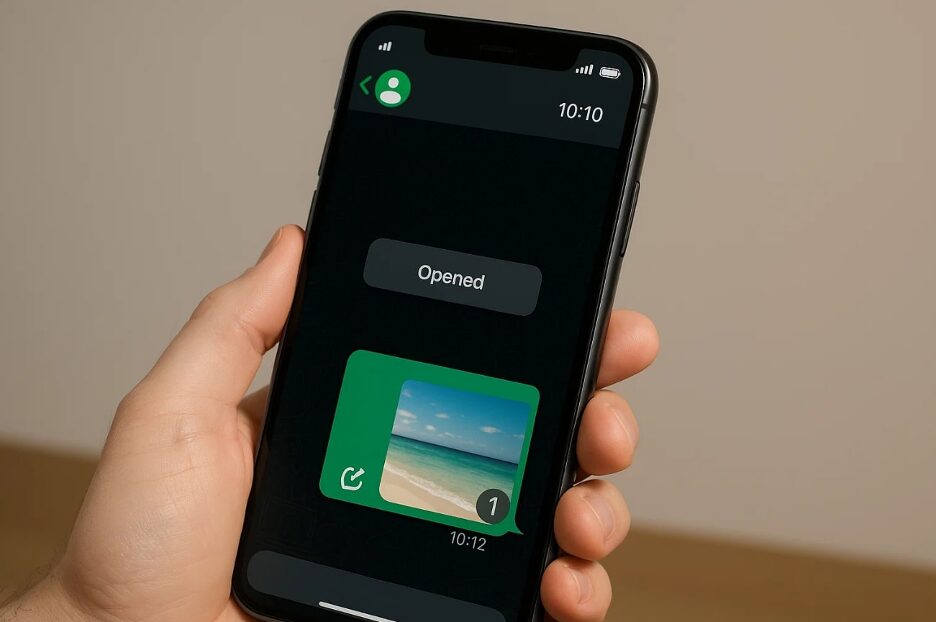
In case read receipts are enabled, you can check whether your media was opened. Messages must be opened within 14 days; otherwise, they automatically disappear. However, opened messages are removed permanently and cannot be returned after disappearing. People search for how to save a view once on WhatsApp, but the app prevents direct saving. This feature was mainly built to protect private media, though it still carries some practical limits.
Part 2. Limitations of Standard Recovery Methods on iPhone
Standard recovery methods on iPhone can help in some cases, but usually have strict limits. Many users try these options first, yet they fail due to disappearing WhatsApp messages. Thus, this section covers a few points that explain the limitations of standard recovery methods:
- iCloud Backup: It may restore messages, but only if the backup timing was perfect. If the backup occurs later, expired disappearing messages will no longer be saved.
- Local Storage: Some data fragments might remain in iPhone storage, but they are quickly overwritten. Without special tools, these small remnants disappear permanently and become impossible to locate.
- Message Forward: Forwarded disappearing messages can survive if sent before the deletion occurs. If not forwarded quickly, the message vanishes completely without any chance of return.
- Backup Timing: Backups must occur before messages disappear, as the chats are excluded. If backups happen later, the expired messages will never appear after restoration.
- Notification Check: It sometimes shows disappearing texts if previewed, but only before expiration. Unfortunately, once notifications clear, the content is gone and cannot be restored.
Part 3. Why Deleted WhatsApp Data May Leave Traces in Storage
Deleted WhatsApp data may seem gone, but small fragments remain inside iPhone storage. These traces can sometimes be found using advanced scanning and iPhone data recovery methods. In this section, you will find some facts in a clear table form:
Cause of Data Trace | How It Happens | Impact on Recovery |
Cache Storage | Temporary message fragments stay in cache. | Tools may recover before being overwritten. |
Uncleared Memory | Deleted data blocks are not cleared instantly. | Fragments remain until overwritten. |
Backup Snapshots | Backups may capture chats before expiry. | Restoring can bring some messages back. |
Database Records | Encrypted files may hold deleted entries. | Advanced tools can rebuild hidden data. |
System Logs | Logs may note disappearing message activity. | Confirms message existed, not content. |
Media Thumbnails | Small thumbnails remain after deletion. | Only previews, not full files. |
Unopened Messages | Messages unopened may sit in backups. | It can appear if restored quickly. |
Third-Party Syncs | Synced apps may hold fragments briefly. | Recoverable if not cleared yet. |
Part 4. Advanced iOS Tools for Recovering Disappearing WhatsApp Messages
Advanced iOS recovery tools are designed to recover sensitive data that normal methods cannot restore. One powerful solution available today is Dr.Fone Data Recovery for iPhone, known for its advanced capabilities. It supports the latest iOS 26 and iPadOS versions, making it compatible with almost every device. Plus, the tool allows recovery of over 35 different data types, including messages and documents.
Users can also recover disappearing WhatsApp messages, including View Once content. The software ensures the highest recovery success rate, even for complex data loss scenarios. Selective recovery is supported, letting you choose exactly which messages or files to restore. It can recover data directly from all iOS devices without needing a prior backup. Preview options are available, so you can view files before final restoration.
Key Features
- Instant Capture: Recovers View Once WhatsApp messages in real-time before they expire permanently.
- Encrypted Recovery: Uses secure processes to guarantee user privacy during all types of recoveries.
- Local Download: Recovered files can be downloaded directly to the device for quick access.
Comprehensive Guide to Recover View Once WhatsApp Messages Using Dr.Fone
Dr.Fone provides a structured process that guides iPhone users through effortless recovery. Thus, take guidance from the given steps to find out how you can recover your desired messages:
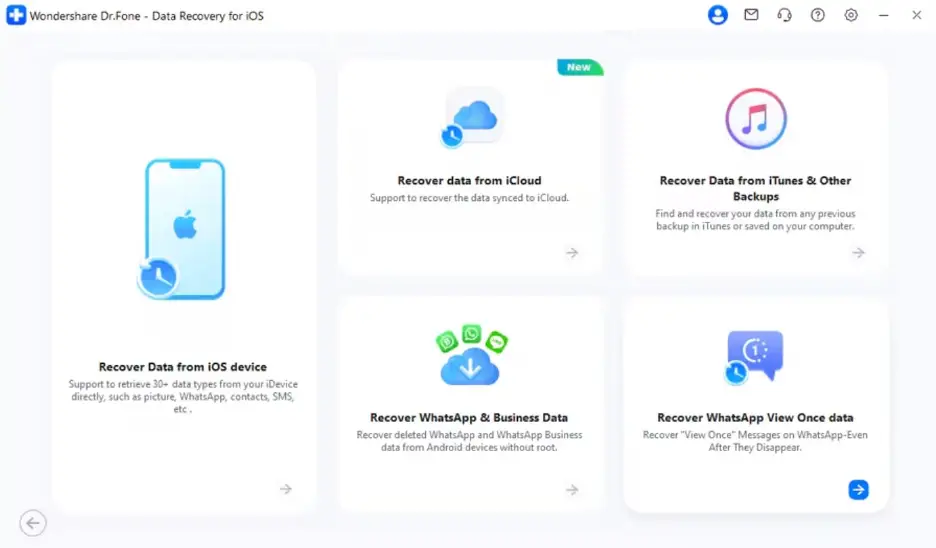
Step 1. Access iOS Data Recovery on Your Computer
Upon heading to the “Toolbox” tab on the tool, access the “Data Recovery” feature and then opt for “iOS.” After that, click the “Recover WhatsApp View Once Data” option to move further.
Step 2. Link WhatsApp to the Dr.Fone tool
On the following screen, press the “Start Recovery” button. Then, scan the QR code displayed on the screen from your phone’s WhatsApp app to link the account.
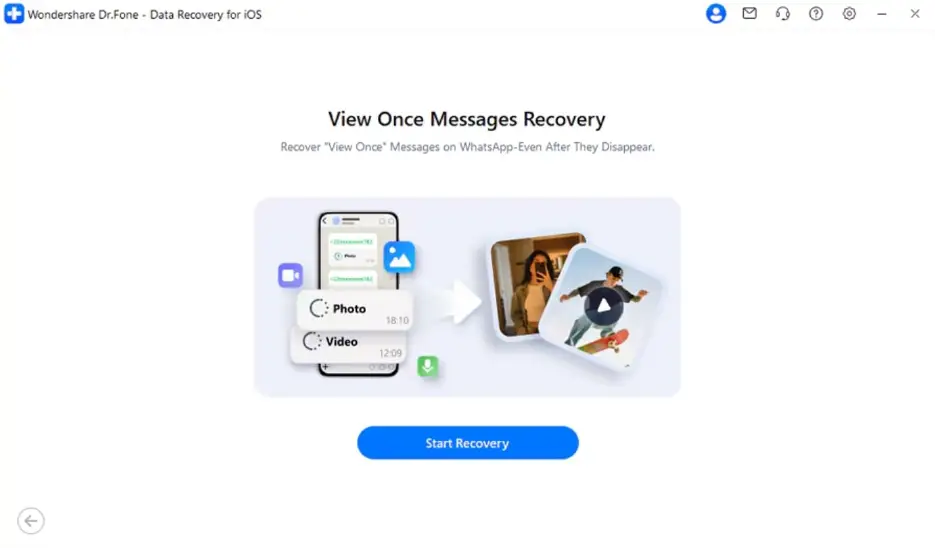
Step 3. Recover Your Desired View Once Messages
As your account is connected and Dr.Fone shows you “View Once” messages, choose your desired one and hit the “Export” button.
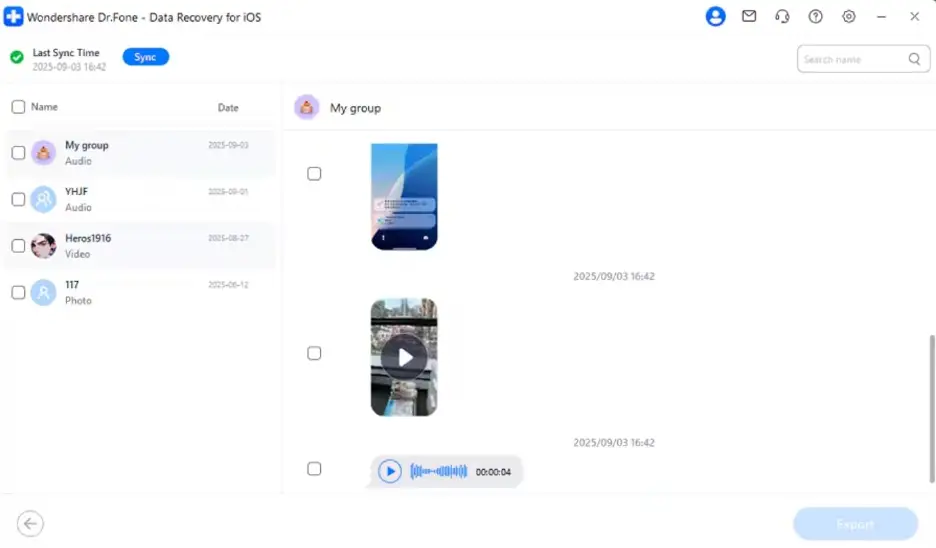
Conclusion
In summary, recovering disappearing or View Once WhatsApp messages on iPhone may seem difficult at times. Standard methods fail, leaving users helpless when important chats expire without warning. Luckily, advanced iPhone data recovery tools can bring back content even after deletion.
To ensure maximum success with WhatsApp message recovery, a reliable tool like Dr.Fone is essential. This dedicated tool helps restore valuable and preferred “View Once” content effortlessly.
More iDevice Central Guides
- iOS 17 Jailbreak RELEASED! How to Jailbreak iOS 17 with PaleRa1n
- How to Jailbreak iOS 18.0 – iOS 18.2.1 / iOS 18.3 With Tweaks
- Download iRemovalRa1n Jailbreak (CheckRa1n for Windows)
- Dopamine Jailbreak (Fugu15 Max) Release Is Coming Soon for iOS 15.0 – 15.4.1 A12+
- Cowabunga Lite For iOS 16.2 – 16.4 Released in Beta! Install Tweaks and Themes Without Jailbreak
- Fugu15 Max Jailbreak: All Confirmed Working Rootless Tweaks List
- iOS 14.0 – 16.1.2 – All MacDirtyCow Tools IPAs
- iOS Jailbreak Tools for All iOS Versions


